

Want to make tiny workers look as though they are baking a giant croissant, fixing a laptop, or harvesting enormous strawberries? The key is not a secret ChatGPT command. It is a clear description of relative scale, a familiar full-size object, believable worker actions, and close-up photographic framing. Below are seven copy-ready prompts, plus a method for fixing the most common failures.
Illustration note: The bakery and additional miniature scene illustrations were AI-generated for this guide. The seven prompts below are reproducible starting points, not seven individually verified generation results. Your outputs will vary.
Quick start: make your first tiny-worker image
- Open ChatGPT and start an image-generation request. You can type directly in a conversation or use the Images area if it is available in your interface.
- Choose one familiar full-size object: a croissant, laptop, coffee mug or strawberry.
- Describe how small the workers are relative to that object, what each worker is doing, and where the camera sits.
- Paste a prompt below. For a blog banner or video thumbnail, request a horizontal 16:9 composition.
- Inspect the result at full size. If scale or hands look wrong, change one specific element rather than rewriting the whole scene.
OpenAI’s Images in ChatGPT guide documents text-to-image creation, image editing and aspect-ratio requests. Interface options and availability can change.
Is /tinybakers a secret ChatGPT command?
No official ChatGPT feature named /tinybakers is documented by OpenAI. You may encounter slash-style labels in shared prompt collections, but they should be treated as shorthand for an idea, not a guaranteed built-in command. If typing /tinybakers alone does not produce what you expect, use a complete descriptive prompt instead. A detailed prompt is easier to adapt and troubleshoot.
Why the miniature effect looks convincing
Scale anchors: Ordinary objects such as keyboard keys, rice grains, coffee spoons and pastry crumbs show how tiny the figures are. Perspective: A camera close to worker eye level makes the large object feel monumental. Depth of field: A sharp subject with a softly blurred background resembles macro photography. Contact and interaction: Shadows beneath shoes, ladders resting on objects and tools touching surfaces help figures belong in the scene.
Be careful with tilt-shift: it is a real photographic technique, but it is not required for a miniature-workers image. Overusing the term can make the whole scene look like a distant toy city rather than close-up food or product photography.
7 tiny workers AI prompts for ChatGPT
1. Tiny bakers and a giant croissant
Copy this prompt:
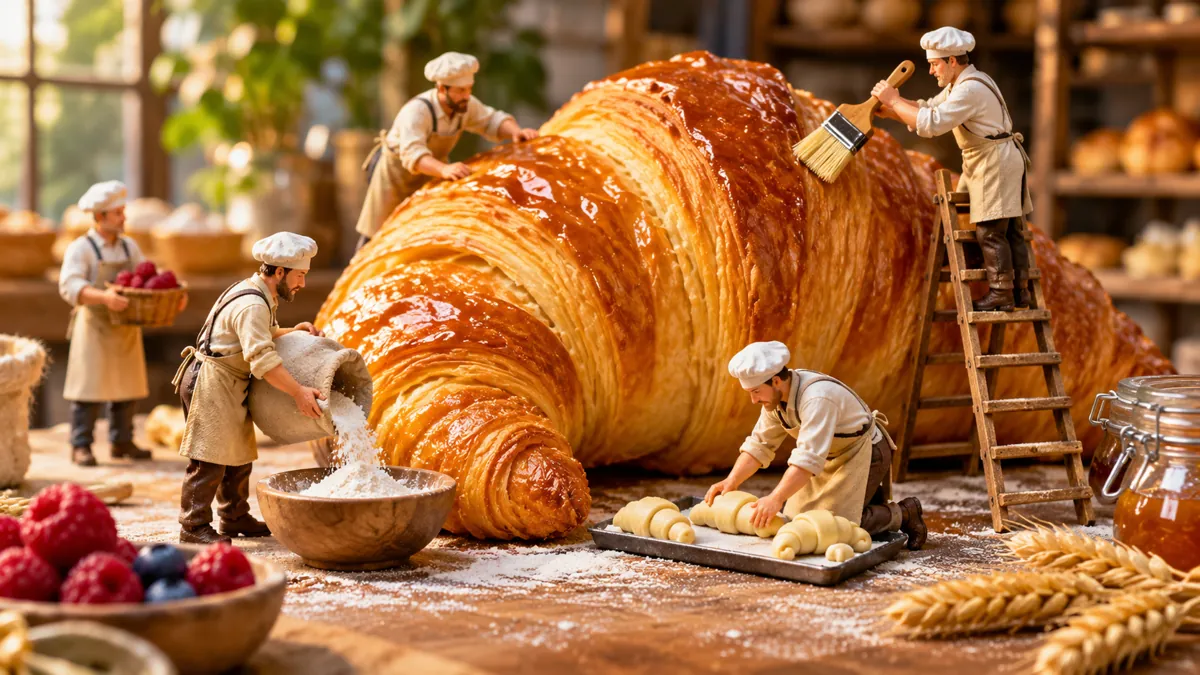
Create a photorealistic miniature bakery on a flour-dusted wooden table. Six tiny adult bakers, each about 3 cm tall, work around one enormous golden croissant that fills the center of the frame. One baker stands on a small wooden ladder brushing the crust, two carry a flour sack, and another arranges normal-sized raspberries. Include realistic crumbs, pastry layers, miniature tools, and believable contact shadows. Shoot like close-up food photography with a 100 mm macro lens, shallow depth of field, warm morning window light, and a low camera angle at the bakers' eye level. Keep the bakers anatomically plausible and the croissant fully recognizable. Horizontal 16:9 composition; no text or logos.
Why this composition helps: Use the croissant and raspberries as familiar scale anchors. If the people look full-sized, ask for smaller workers and a wider view of the pastry.
2. Tiny technicians cleaning a laptop

Copy this prompt:
Photorealistic macro scene of five tiny maintenance technicians, each approximately 2 cm tall, cleaning dust from the keys of a full-size black laptop. One uses a miniature brush, another climbs a small ladder against the Enter key, and two inspect the space between keys with flashlights. Show recognizable keyboard key sizes and realistic dust particles. Soft daylight, restrained industrial color palette, believable contact shadows, sharp foreground details and a gently blurred background. Camera placed near keyboard level. Horizontal 16:9; no text added to the scene.
Why this composition helps: Keyboard keys provide a consistent scale reference. Avoid covering every key with figures.
3. Tiny gardeners harvesting strawberries
Copy this prompt:
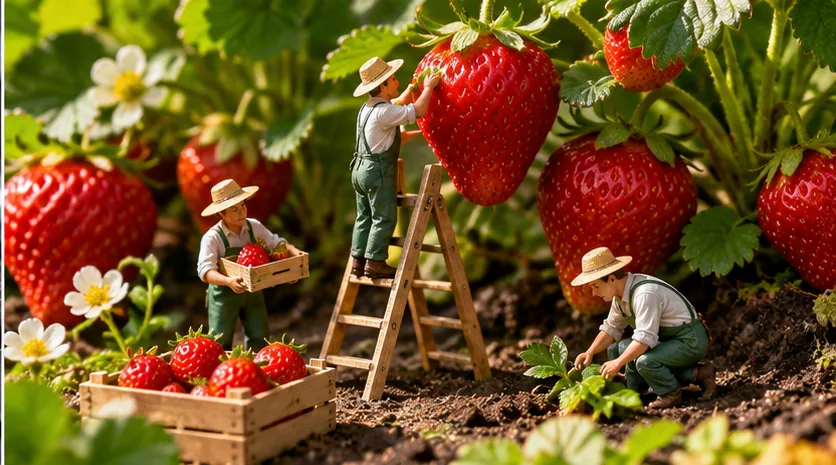
A believable macro photograph of four tiny gardeners harvesting strawberries in a terracotta planter. Each gardener is 2–3 cm tall; ripe strawberries tower over them like large fruit sculptures. One carries a miniature basket, one climbs a narrow ladder, and two examine a leaf. Include soil grains, dew, realistic leaf veins and soft early-morning sunlight. Eye-level macro perspective, shallow depth of field, natural greens and reds, carefully grounded feet and tools. Landscape 16:9, no lettering.
Why this composition helps: Soil grains, leaves and baskets help the viewer read scale without an explanation.
4. Tiny builders repairing a coffee mug
Copy this prompt:
Create a cinematic photorealistic tabletop macro scene: five tiny construction workers repairing a small chip on the rim of a full-size ceramic coffee mug. Their ladders and scaffolding are miniature, while the mug, saucer and teaspoon are normal household size. Show one worker examining the chip, two holding tools and another on scaffolding. Realistic porcelain reflections, grounded shadows, morning cafe light, shallow depth of field. Make the repair clearly fictional and playful, not a product restoration claim. 16:9, no text.
Why this composition helps: The spoon and mug handle communicate scale. Keep the chipped area visible.
5. Tiny sushi chefs preparing a roll
Copy this prompt:
Photorealistic macro food scene of four tiny sushi chefs preparing an oversized sushi roll on a wooden cutting board. The sushi ingredients and grains of rice are normal food size; the chefs are only 3 cm tall. One carries a strip of nori, one inspects the rice, and two arrange a cucumber slice using miniature tools. Soft studio food lighting, precise textures, natural contact shadows, low-angle close-up perspective and shallow depth of field. Landscape 16:9, no labels.
Why this composition helps: Rice grains are useful scale anchors; too many characters can make the scene crowded.
6. Tiny watchmakers repairing a wristwatch
Copy this prompt:
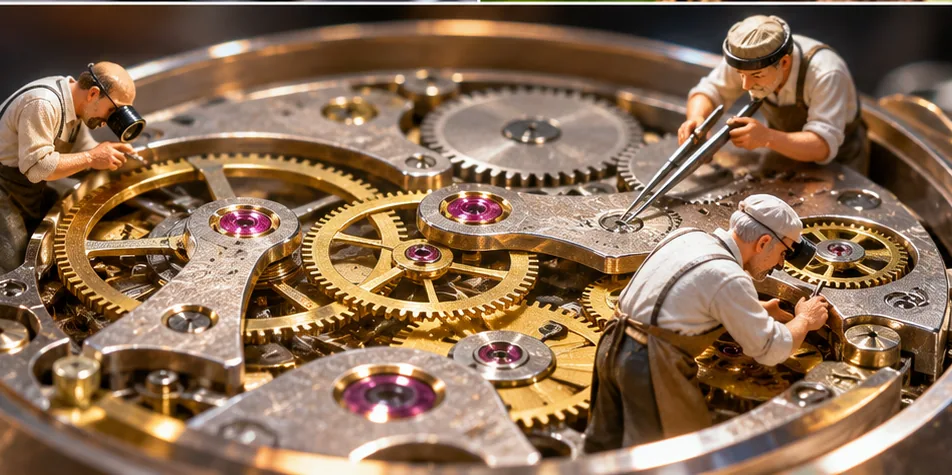
Highly detailed macro photograph of three tiny watchmakers inspecting the exposed mechanism of a full-size mechanical wristwatch on a desk. The people are 2 cm tall and stand beside visible gears, screws and a normal-size watch crown. One points at a gear, another holds a miniature inspection light, and a third climbs a narrow ladder. Realistic metal reflections, believable proportions, controlled studio lighting, shallow depth of field and a sharp focal point on the watch movement. 16:9, no words or branding.
Why this composition helps: Keep the gear geometry coherent; treat it as an imaginative scene rather than a technically accurate repair diagram.
7. Tiny scientists exploring a microchip
Copy this prompt:
Photorealistic macro illustration of four tiny scientists in protective lab coats examining a full-size computer microchip on a clean workbench. Each scientist is 2 cm tall; recognizable chip pins and traces establish the scale. One holds a small instrument, two examine a circuit trace, and another stands near a tiny ladder. Cool controlled laboratory lighting, crisp central subject, realistic contact shadows, restrained blue and silver tones, shallow depth of field, 16:9, no text or brand names.
Why this composition helps: Chip pins make scale visible. Avoid claiming the circuit layout is engineering-accurate.
How to fix a tiny-worker image that looks wrong
The workers are too large
Replace vague language such as “small people” with a concrete relative scale: “Each worker is 2 cm tall beside a normal-size ceramic mug.” Include a spoon, grain of rice or recognizable keyboard key. Ask for a wider crop if the scale reference is missing.
Everything looks like a toy
Describe the large object as a real everyday object with natural material texture. Request realistic contact shadows, plausible clothing and a close-up photographic perspective. Remove words such as “cartoon,” “figurine” or “toy diorama” unless that is the look you want.
The scene is too crowded
Reduce the crew to three or four people, give each person a distinct job, and keep the central object unobstructed. More figures often mean more overlapping tools, ladders and anatomy errors.
Faces, fingers or tools look strange
Try fewer workers, slightly larger figures within the composition, and simpler poses. For a localized correction, select the problem area in the image editor if that option is available, then describe the intended change. Edits may affect neighboring details, so inspect the entire image afterward.
The background is sharp and distracting
Ask for “sharp foreground subject, gently blurred background, shallow depth of field.” Do not ask for maximum blur everywhere: the worker actions and scale anchors must remain legible.
A reusable tiny-workers prompt formula
Create a photorealistic macro scene of [3–5 tiny workers, approximate height] performing [specific tasks] on or around a normal-size [familiar object]. Include [two recognizable scale references], believable contact shadows, [lighting], a low camera angle, and shallow depth of field. Keep [main object] recognizable and unobstructed. [Aspect ratio]. No text or logos.
Change the object and tasks together. For example, tiny electricians inspecting a desktop power strip need different tools and safety cues from tiny gardeners harvesting blueberries.
10 more miniature scene ideas
- Tiny librarians restoring an oversized paperback
- Miniature florists arranging a bouquet of sunflowers
- Tiny cleaners polishing a pair of sunglasses
- Miniature painters decorating a giant ceramic vase
- Tiny mechanics inspecting a bicycle chain
- Miniature baristas working around a coffee grinder
- Tiny astronauts exploring the surface of an orange
- Miniature carpenters assembling a pencil holder
- Tiny botanists studying a mushroom
- Miniature photographers shooting a full-size camera
Can you turn the image into a video?
Yes, a still miniature scene can be used as a starting image in a compatible image-to-video workflow. Start with restrained motion: one baker brushing the croissant, a little steam, or a slow camera push-in. Large simultaneous movements can make characters or backgrounds drift. Our guides on AI video camera movement prompts and reducing face morphing in AI videos explain related problems.
What to try next
Start with the croissant or laptop prompt, generate one image, and evaluate three things: can you instantly understand the scale, does every worker have a plausible task, and is the main object easy to recognize? If not, correct the weakest element first. The most useful “secret” is a prompt that makes the scene’s physical relationships unambiguous—not a magic slash command.
Related reading: How to Make AI Images Look Realistic and Why ChatGPT Changes the Whole Image When Editing.