


Viral lists of ChatGPT image style prompts often present slash-prefixed words as secret codes. They are better understood as shorthand for creative instructions, not documented image-generation switches. You can use ordinary language instead. Below are 30 ideas with copyable prompts and individually generated visual examples.
All 30 examples below were generated individually in ChatGPT on November 26, 2026, using each full English prompt as the starting instruction, with added landscape framing and presentation requirements. Some examples also use clarifications such as a historical era, plain packaging or a seasonal transition. The lion example was regenerated to leave room around its mane. No examples were cropped from a shared contact sheet. These are visual examples, not a controlled comparison of slash codes versus ordinary language, and they do not demonstrate preservation of an uploaded original. The exact model version and per-image generation costs were not exposed by the generation tool.
How to use these prompts
Open ChatGPT with image creation available. Paste a prompt to generate a new image, or attach a reference and replace the subject description with your own. For an edit, add: Preserve the original subject, framing and camera angle; change only the requested style. This is a request, not a guarantee of pixel preservation.
For example, /PIXELART may be interpreted as pixel art, but a full instruction specifies the palette, edges and subject. If the shorthand produces a text reply, explicitly ask to create an image. If the result changes too much, return to the original reference rather than repeatedly editing the latest output.
Scale, environments and craft styles
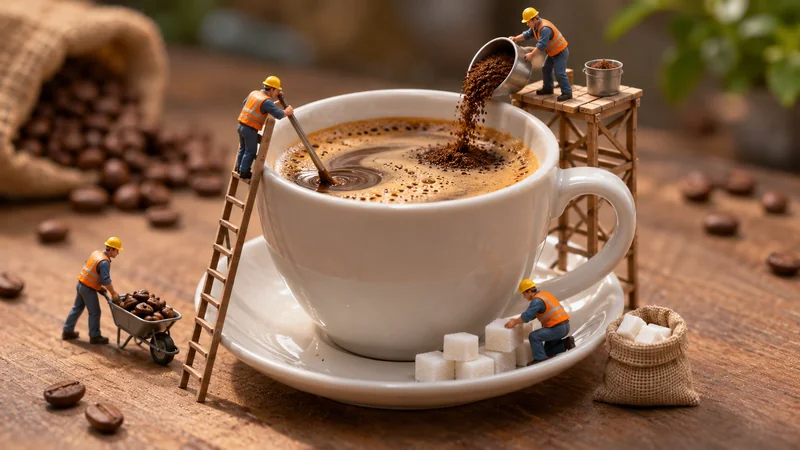
01. /TINYHUMANS
PROMPT
Create a macro photograph of miniature workers preparing a giant cup of coffee, with tiny ladders, realistic shadows and shallow depth of field.
Practical tip: Keep the coffee cup large and the people visibly miniature. If workers disappear, request fewer people and a closer macro view.
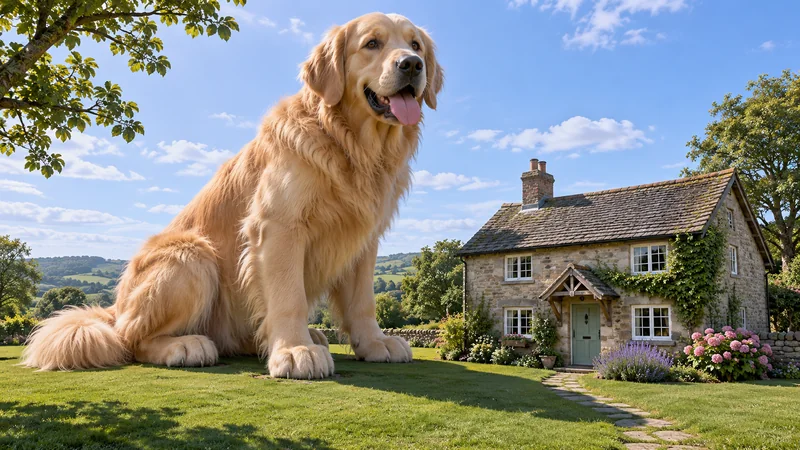
02. /GIANTMODE
PROMPT
Show a giant golden retriever beside a normal-sized cottage, with believable perspective and contact shadows.
Practical tip: Keep the cottage, windows and garden at ordinary scale. Ask for contact shadows so the dog feels grounded.
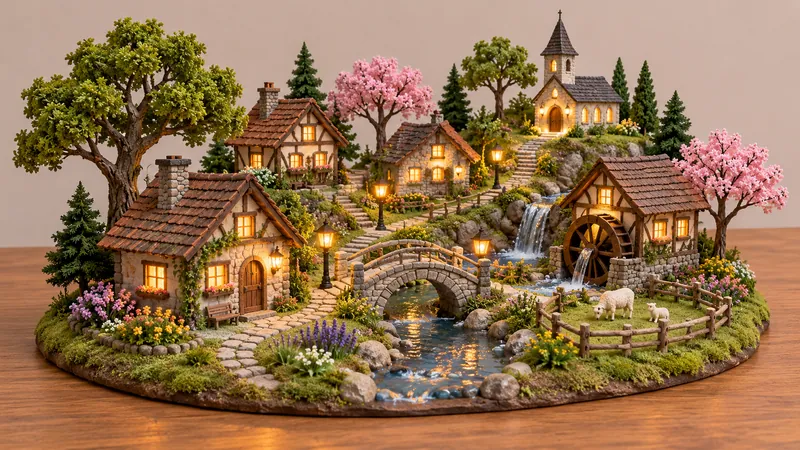
03. /MINIATUREWORLD
PROMPT
Create a handcrafted miniature village with tiny cottages, trees and warm lights, photographed as a tabletop diorama.
Practical tip: Request a visible tabletop or model base to make the miniature scale clear. Keep the main cottages sharp.
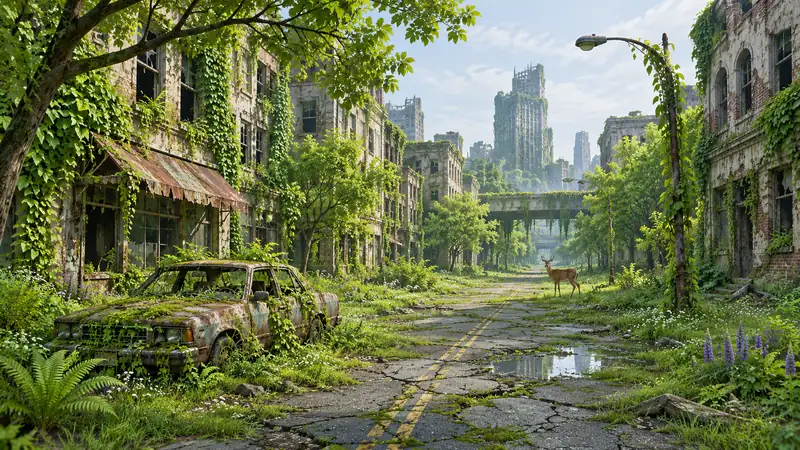
04. /POSTAPOCALYPSE
PROMPT
Reimagine a city street as an abandoned world reclaimed by vegetation, with weathered buildings and soft daylight.
Practical tip: For an edit, attach the original street and ask to retain the road, building positions and camera angle while adding decay and vegetation.
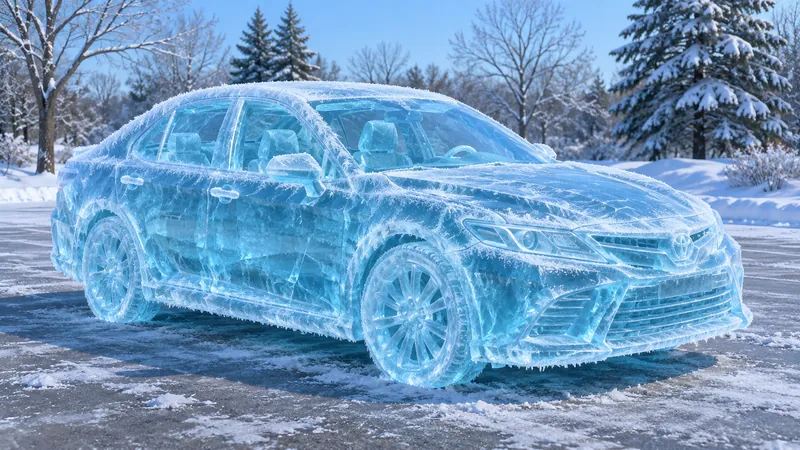
05. /ICEVERSION
PROMPT
Transform a parked car into an ice sculpture with frosted edges and translucent blue ice.
Practical tip: State whether only the car becomes ice or the surroundings freeze too. Frosted edges and translucent areas help distinguish ice from blue paint.
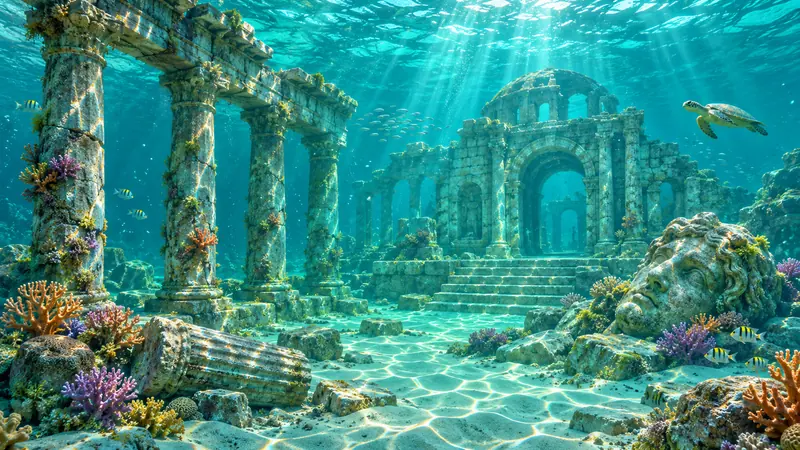
06. /UNDERWATER
PROMPT
Submerge ancient ruins beneath clear turquoise water, with caustic light, coral and suspended particles.
Practical tip: Ask for light rays, caustics and suspended particles. These cues make the scene feel submerged rather than simply tinted blue.
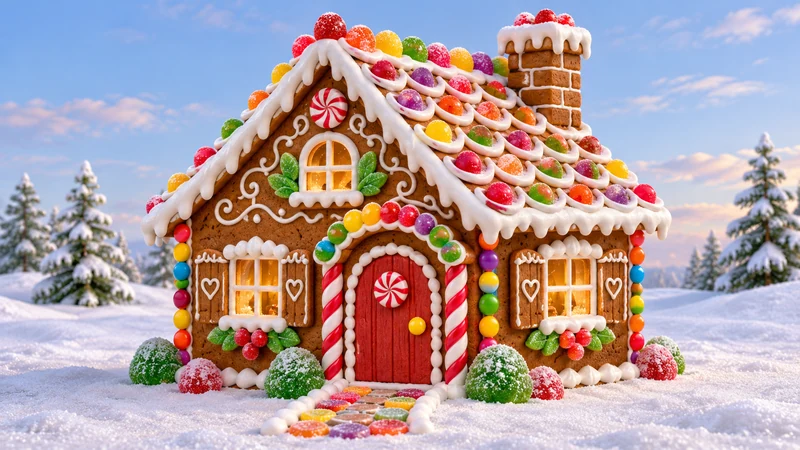
07. /CANDYVERSION
PROMPT
Rebuild a cottage from gingerbread, icing and colorful candy, with edible-looking textures.
Practical tip: Assign edible materials to specific surfaces: gingerbread walls, icing seams and candy roof decorations.
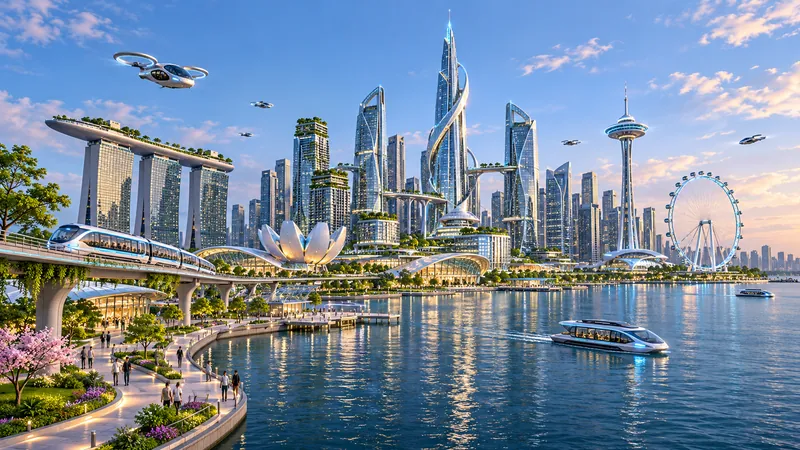
08. /FUTUREVERSION
PROMPT
Reimagine a waterfront city with futuristic towers, clean transit and flying vehicles, retaining the original skyline layout.
Practical tip: Choose a future era. To preserve an existing skyline, attach that image; this standalone example does not demonstrate layout preservation.
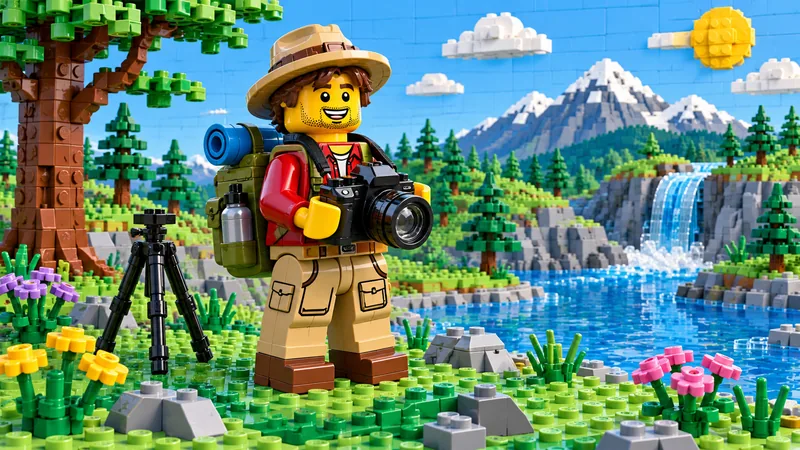
09. /LEGOIFY
PROMPT
Recreate a photographer as a colorful interlocking toy-brick minifigure in a brick-built landscape.
Practical tip: Ask for visible studs, molded hands and plastic seams so both the character and environment read as toy bricks.
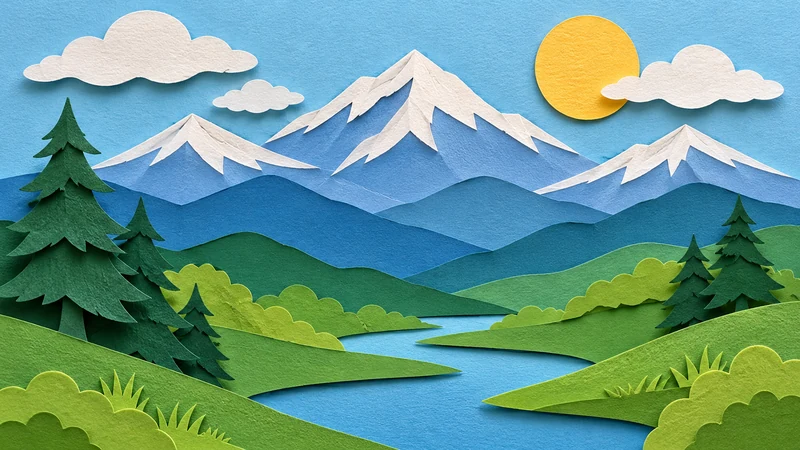
10. /PAPERCRAFT
PROMPT
Create a layered cut-paper mountain landscape with crisp paper edges and soft shadows between layers.
Practical tip: Specify physical paper thickness, cut edges and shadows between layers to avoid a flat vector result.
Illustration, lighting and 3D styles
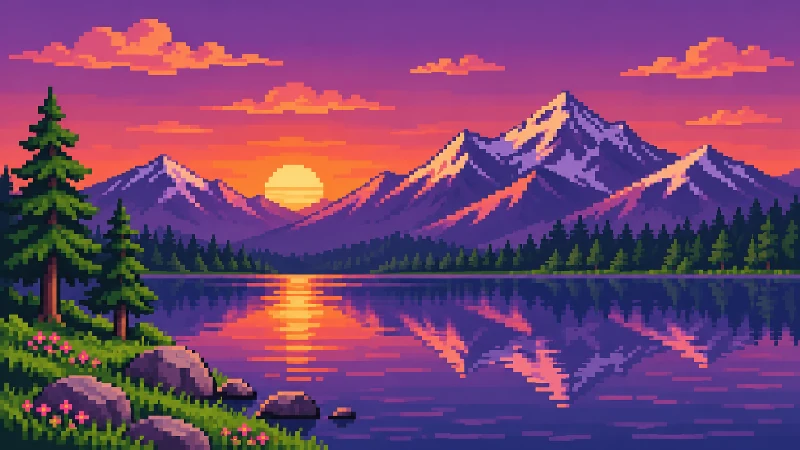
11. /PIXELART
PROMPT
Render a mountain lake at sunset as retro 16-bit pixel art, with a limited palette and crisp square pixels.
Practical tip: Request a limited palette and crisp pixel edges. Avoid smooth gradients; inspect the output because AI may still add them.

12. /LOWPOLY
PROMPT
Render a lion portrait using large flat triangular facets and a warm geometric color palette.
Practical tip: Use large flat facets and a recognizable silhouette. Add extra space around the mane to prevent cropping.
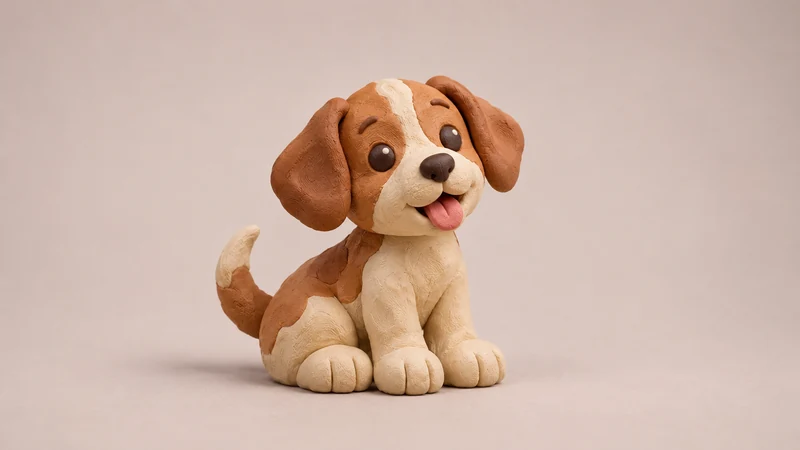
13. /CLAY
PROMPT
Create a handmade clay sculpture of a puppy with subtle fingerprints and soft studio lighting.
Practical tip: Ask for fingerprints, slightly uneven surfaces and soft lighting. Those details distinguish handmade clay from smooth plastic.
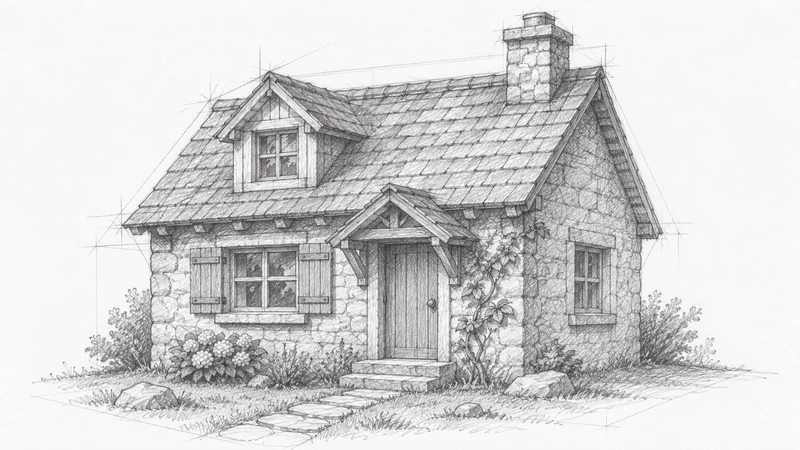
14. /SKETCH
PROMPT
Draw a cottage in graphite pencil on white paper, with cross-hatching and visible construction lines.
Practical tip: Name the medium: graphite pencil, cross-hatching and construction lines. Leave white-paper margins around the cottage.
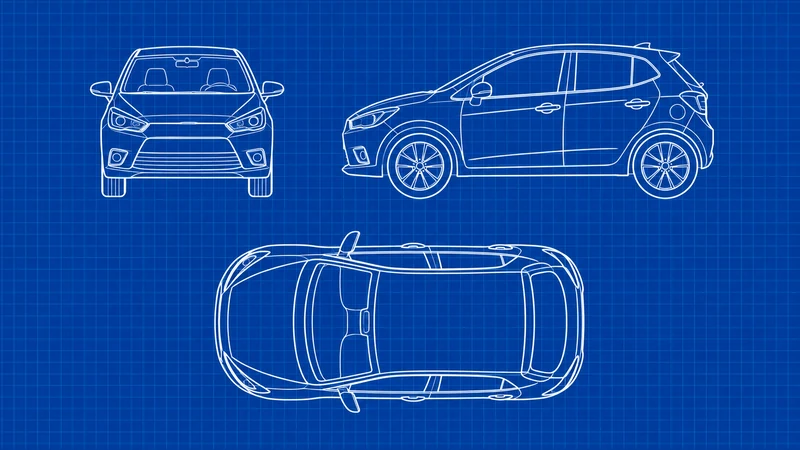
15. /BLUEPRINT
PROMPT
Create a conceptual blueprint of a compact car with white linework on a blue grid and clean orthographic views.
Practical tip: Ask for orthographic views and omit invented measurements. A generated blueprint is a concept illustration, not engineering data.
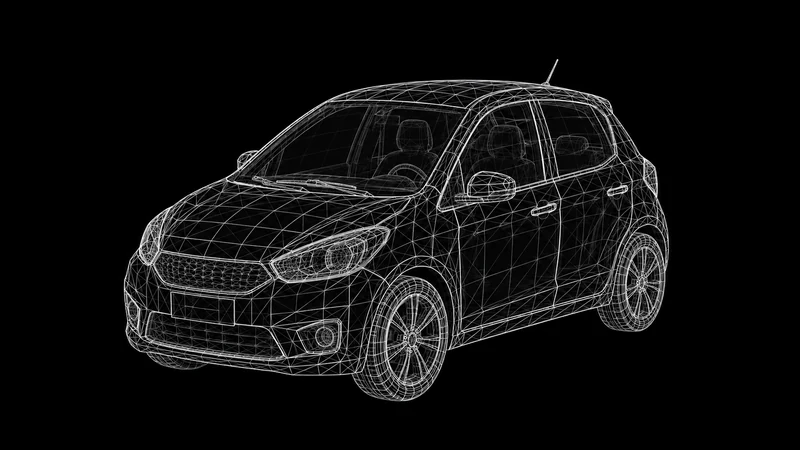
16. /WIREFRAME
PROMPT
Show a compact car as a 3D wireframe with visible polygon edges on a dark background.
Practical tip: Specify whether hidden edges should remain visible. A dark background and thin bright edges help the mesh stay readable.
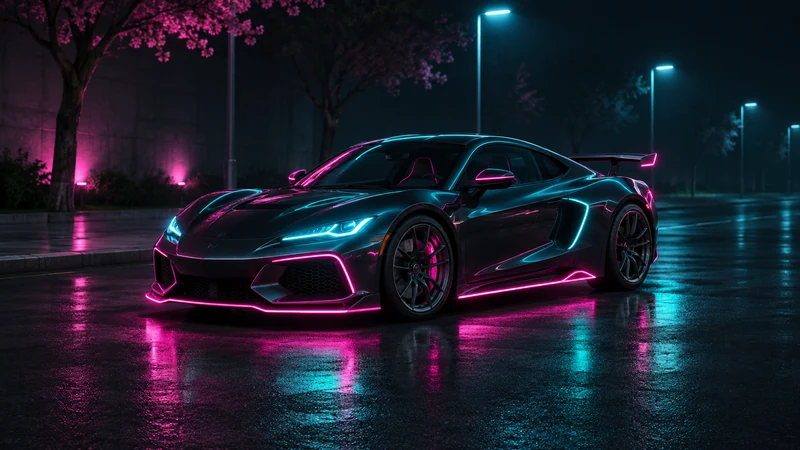
17. /NEON
PROMPT
Render a sports car with luminous pink and cyan neon accents on a dark street, with controlled reflections.
Practical tip: Ask for controlled glow and reflections. If the body disappears, reduce bloom and brighten the surface slightly.

18. /CYBERPUNK
PROMPT
Create a futuristic portrait with neon-lit streets, technological accessories and magenta-cyan lighting.
Practical tip: Describe technological accessories and the street environment as well as the light colors; neon lighting alone does not define the setting.
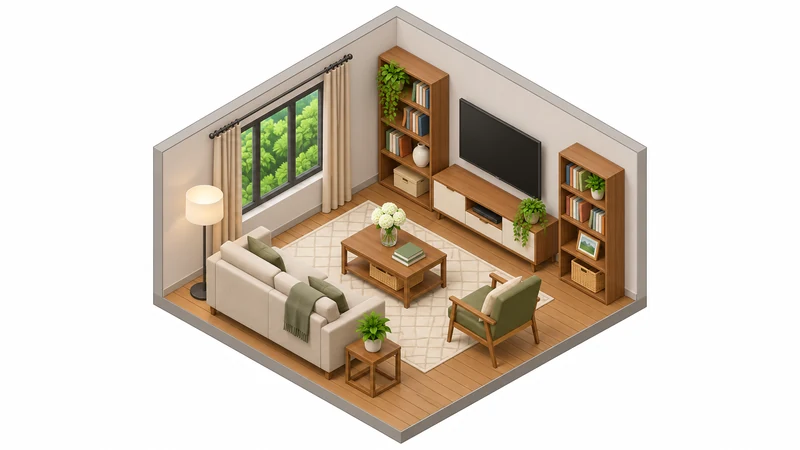
19. /ISOMETRIC
PROMPT
Create an isometric 3D miniature living room with parallel projection, visible furniture and clean edges.
Practical tip: Request parallel projection and consistent parallel edges. Inspect the result for perspective drift before using it in a layout.

20. /TOYVERSION
PROMPT
Turn a fictional traveler into a stylized collectible vinyl toy with oversized head and matte plastic finish.
Practical tip: Specify matte vinyl, an oversized head and simplified proportions. Keep the entire figure, including feet, inside the frame.
Collectibles, materials and transformations
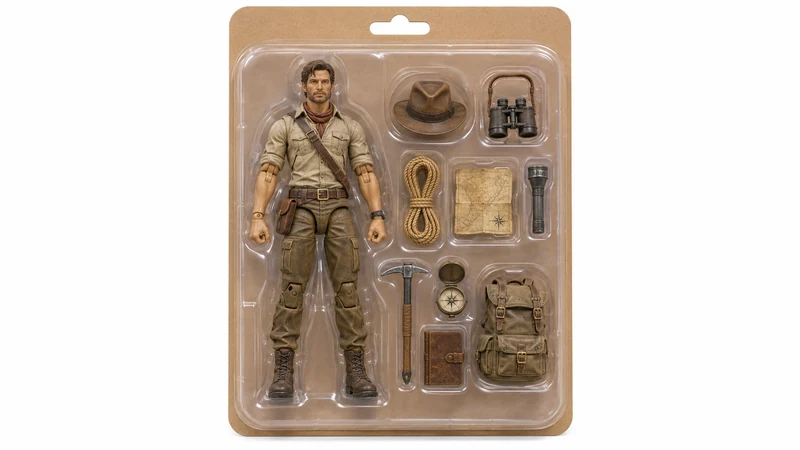
21. /ACTIONFIGURE
PROMPT
Create a realistic articulated action figure of a fictional explorer in retail-style packaging, with visible joints and accessories.
Practical tip: Ask for visible articulated joints and accessories in separate slots. Use plain packaging; add any essential typography separately.
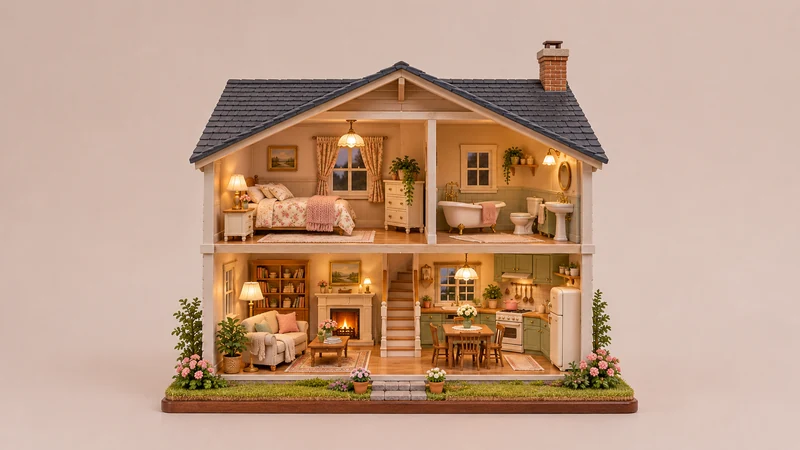
22. /DOLLHOUSE
PROMPT
Show a miniature two-story dollhouse with its front wall removed, furnished rooms and warm lighting.
Practical tip: Ask for a visible model base, miniature furniture and exactly two stories. Remove the front wall so the rooms remain readable.
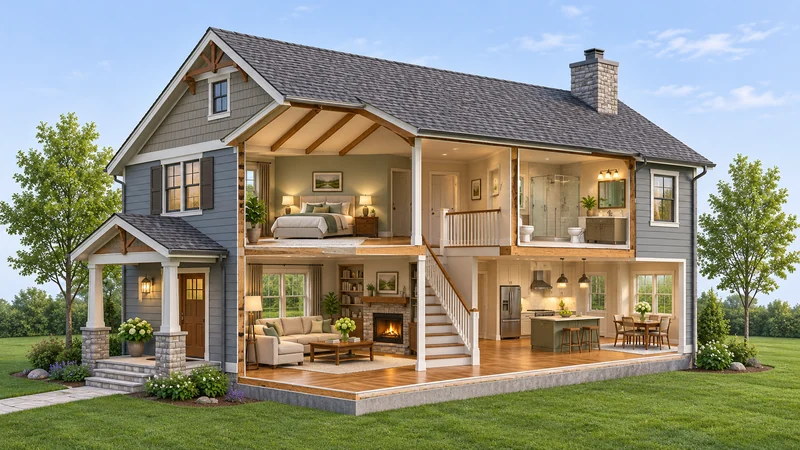
23. /CUTAWAY
PROMPT
Create a conceptual cutaway of a house showing interior rooms while retaining its exterior silhouette.
Practical tip: Specify the section plane and which exterior walls remain. Verify technical details separately; this image is conceptual.
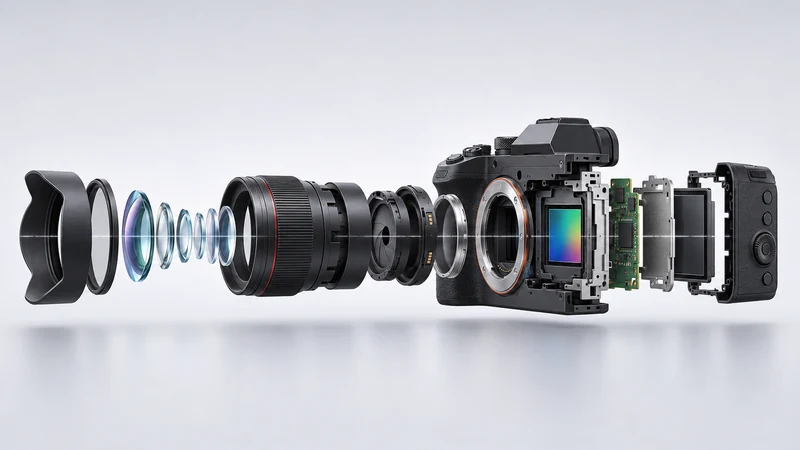
24. /EXPLODEDVIEW
PROMPT
Create a conceptual exploded view of a camera with lens elements and body components separated along one axis.
Practical tip: Ask for components separated along one axis with clear gaps. Do not use the result as an assembly manual.
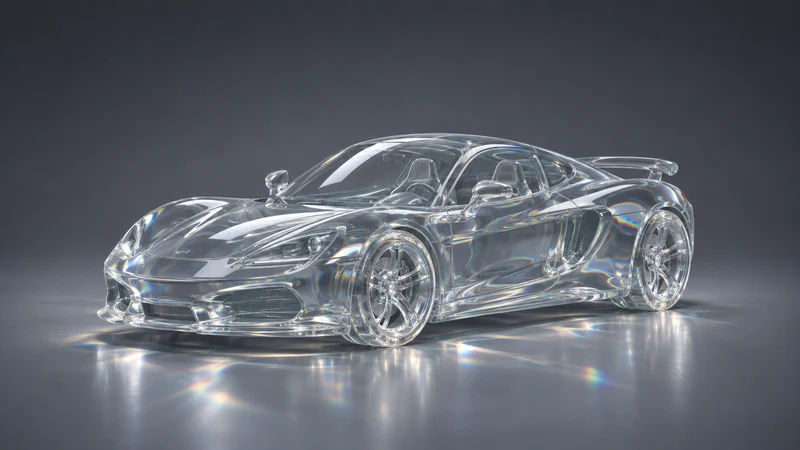
25. /GLASS
PROMPT
Rebuild a sports car as smooth transparent glass with realistic refraction and studio reflections.
Practical tip: Specify smooth transparent glass with refraction. Avoid faceted surfaces if you want glass rather than a crystal appearance.

26. /GOLD
PROMPT
Transform a sports car into polished gold metal with warm reflections and a dark studio background.
Practical tip: Ask for metallic reflections and a dark studio background. Yellow paint will not produce the same material effect.
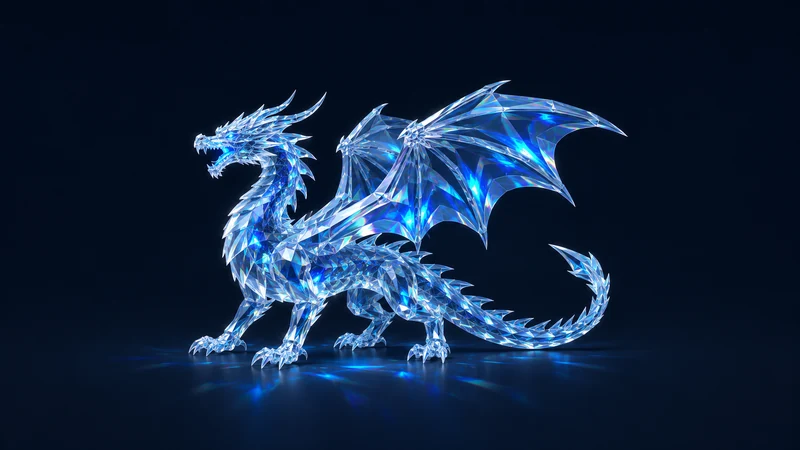
27. /CRYSTAL
PROMPT
Create a dragon sculpture made from faceted translucent crystal with sharp edges and refracted blue light.
Practical tip: Use sharp facets and refracted light to distinguish crystal from smooth glass. Leave space around the wings, horns and tail.
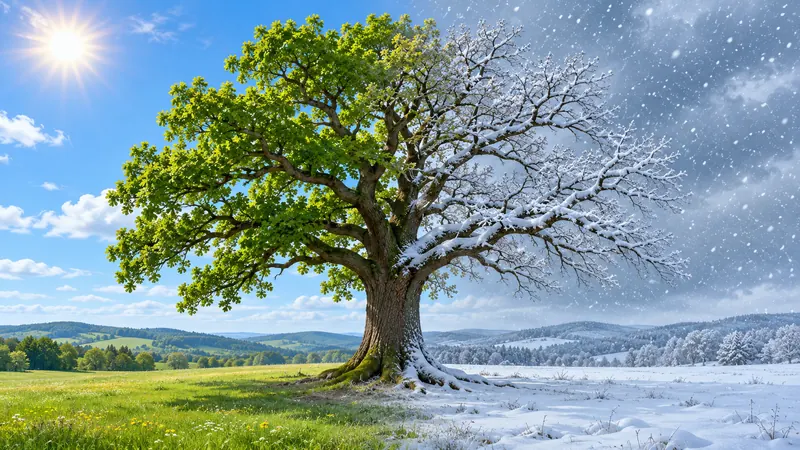
28. /WEATHERCHANGE
PROMPT
Show the same tree and landscape in sunny and snowy weather, keeping the camera position and composition fixed.
Practical tip: Specify which weather elements may change. This example is a single conceptual seasonal transition, not two independently verified edits.
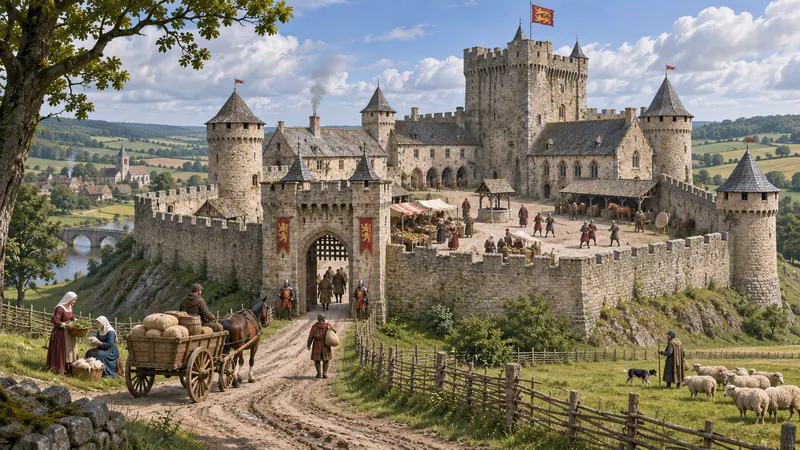
29. /TIMETRAVEL
PROMPT
Reimagine a castle scene in a historical era with period-appropriate surroundings, clothing and transport.
Practical tip: Name an era and request appropriate clothing, buildings and transport. This imagined medieval scene is not a verified historical reconstruction.
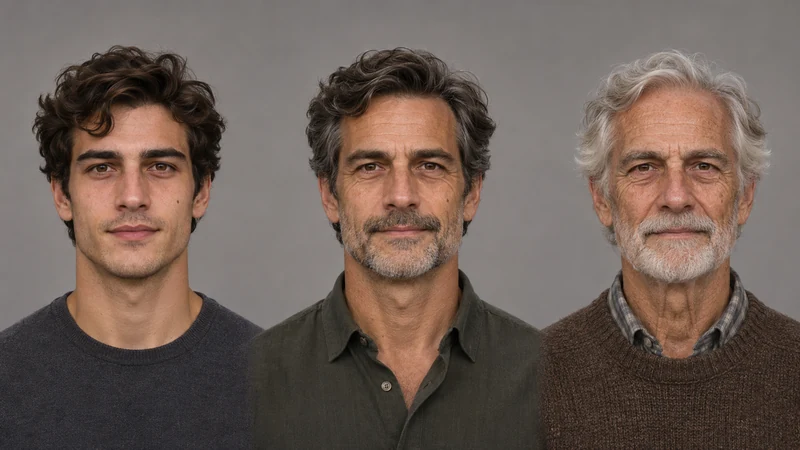
30. /AGING
PROMPT
Create an illustrative age progression of a fictional adult at three life stages, retaining recognizable facial structure.
Practical tip: Keep the camera angle, lighting and facial structure consistent across the three adult stages. This is fictional visualization, not a prediction of real aging.
How to keep the original subject recognizable
Use one reference, identify the features that must remain unchanged, and specify only the intended transformation. Compare the output against the original before accepting it. For faces, see our character consistency guide. For exact labels and numbers, see product photo accuracy. If you want more miniature scenes, try our tiny workers prompts.
Do you need the slash codes?
No special syntax is necessary to describe a visual style. The useful part is the meaning of the instruction. A detailed prompt gives you more control over the subject, materials, lighting and composition. Generated blueprints, cutaways and age progressions should not be mistaken for verified technical or predictive information.
Choose a style that fits your purpose, start with the supplied prompt, and change one detail at a time. Save the original image so you can restart if an edit drifts.