

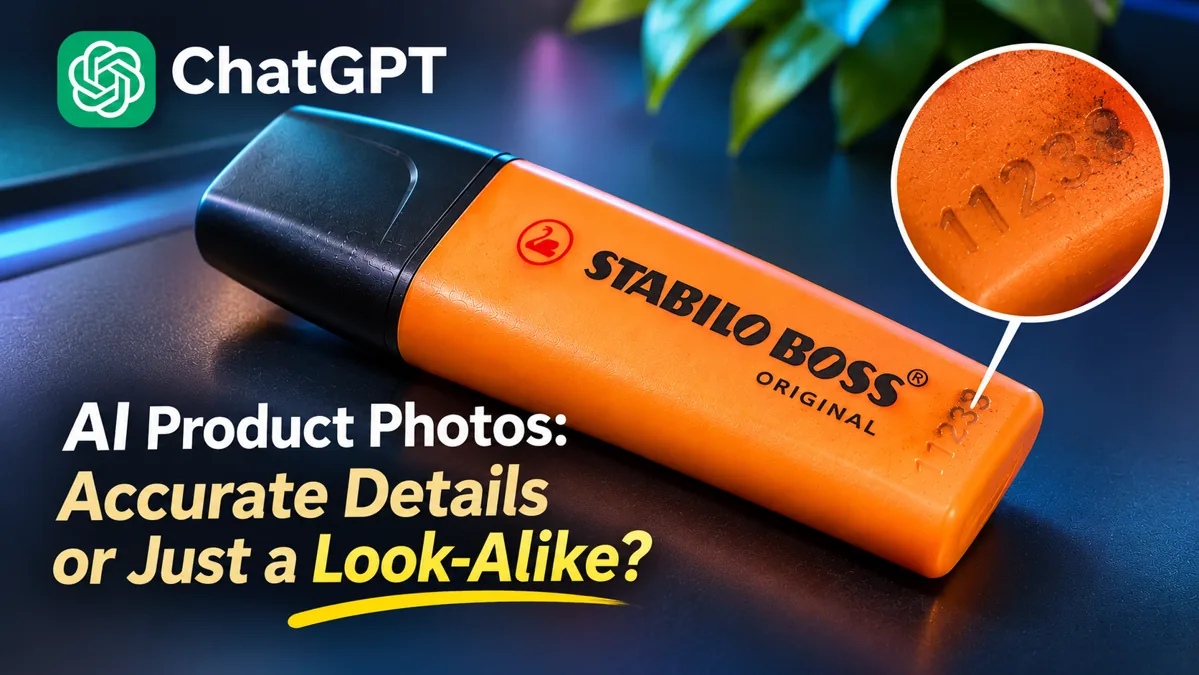
In our test, ChatGPT created realistic product photos of a STABILO BOSS highlighter but repeatedly changed its small molded number, 11238. Even after correcting the digits, it struggled to reproduce the original texture and wear. Here is what happened, how to check AI product photos, and when to keep the real product pixels instead.
Quick answer: protect the product, not just the background
Upload a clear photograph. State which elements can change (background, desk, lighting, props) and which must stay accurate (shape, cap, logo, label, numbers, material, wear). Generate one image and compare it with the original at full size. If essential details are wrong, do not use it as an exact product photo.
Real test: a used STABILO BOSS highlighter
Date: November 17, 2026. Tool: ChatGPT image generation in our conversation (the underlying model version was not independently recorded). Source: a user-supplied photograph of an orange, used STABILO BOSS highlighter. Objective: make appealing product scenes while retaining the real product. Attempts: multiple initial scene generations and revisions; this was an iterative case study, not a controlled benchmark. Credits: not recorded. Evaluation: the product owner checked the images against the physical marker.
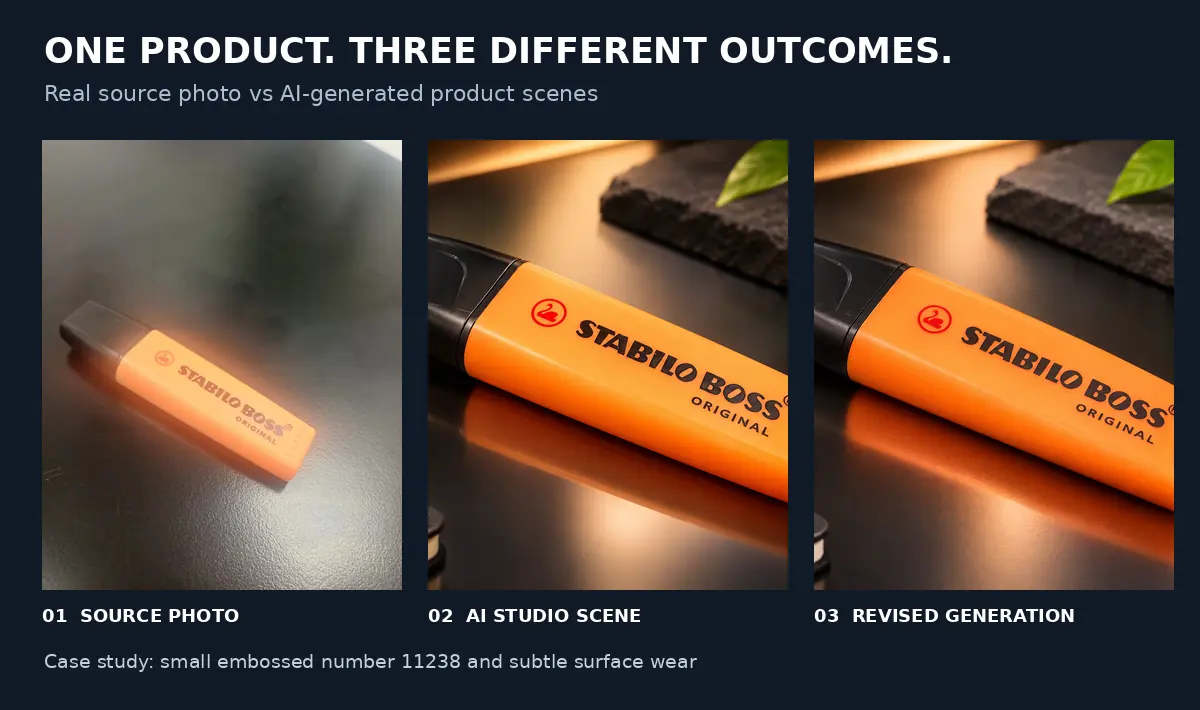
The correct small number is 11238. On the actual marker it is thin, shallow, unpainted embossing in the orange plastic. Dirt sits in the grooves, more noticeable at the top of each digit and fading toward the bottom; the surrounding plastic should remain clean.
| Stage | What we observed |
|---|---|
| Initial scenes | Numbers such as 11722, 11728 and 1179 appeared instead of 11238. |
| Text correction | 11238 appeared, but the digits looked too prominent for subtle molded plastic. |
| Wear correction | Repeated instructions produced wrong dirt direction, overly thick digits or excess smudging. The owner rejected these attempts. |
Test limitation: the corrections were successive image-generation instructions. We did not conduct a separate, controlled selection-mask test on the original. Therefore, these results do not measure the reliability of ChatGPT’s local editing tool.
Step 1: photograph the details you need to preserve
Keep the entire product visible and take a close-up of tiny numbers, seams, logos or textures. Side lighting can help reveal shallow embossed grooves. Make an inventory of exact words, numbers, materials, colors, cap shape, scratches and wear. Do not let a used item silently become a new-looking one.
Step 2: use a preservation-first prompt
The following is a recommended template, not the exact prompt used for our initial studio generation:
Use the uploaded photo as the reference for this exact physical product. Create one realistic studio product photo on a dark desk with soft side lighting. Change the environment only. Preserve the original silhouette, proportions, cap, orange color, logo, all lettering, molded details, wear and camera angle. Do not invent or replace numbers or brand markings. Do not make this used product look new. If a tiny detail cannot be preserved, do not fabricate a sharp replacement. No extra advertising text.
Clear preservation instructions reduce ambiguity, but cannot guarantee that every product pixel stays unchanged.
Step 3: inspect the output at 100%
Compare the generated result side by side with the original. Check the complete outline, cap, logo shape, spelling, identification numbers, color, surface texture, scratches and reflections. A thumbnail can conceal errors that are obvious in a product listing or advertisement.
For our highlighter, a correct result needed to show 11238 as a fine, low-contrast indentation, with dirt fading vertically from top to bottom inside each digit—not a gradient from the rightmost digit to the leftmost.
Step 4: correct one detail at a time
We first requested the correct number. Then we asked for subtler unpainted embossing. Finally, we clarified that dirt should fade from the top to the bottom of each individual digit. The requested physical effect still did not reliably appear.
This illustrative refinement prompt reflects the owner’s feedback; it has not been verified as a successful fix:
Correct only the tiny molded number to 11238. Each digit is thin, shallow, unpainted and the same orange as the plastic. Within EACH individual digit, the recessed groove is slightly darker at the top and gradually becomes clean and almost invisible at the bottom. Apply this vertical top-to-bottom gradient within all five digits simultaneously. Do NOT create a left-to-right gradient across the number. Keep the surrounding plastic clean. Do not change the rest of the product.
If several corrections still produce the same error, stop regenerating the entire image. Repeating a longer prompt is not always the best method.
Step 5: preserve original product pixels for exact listings
When fidelity is essential, use the real product photo as a foreground layer. Cut it out with a mask in a conventional image editor, generate or photograph a new background, and then adjust the contact shadow, reflections and lighting. Because the actual product remains photographed rather than redrawn, its real lettering, molded marks and wear stay intact. Inspect the cutout edges at full size.
ChatGPT also offers selection-based editing. You can open an image, select the region to change and describe the edit. However, OpenAI warns that selections are not always precise and edits may extend beyond the highlighted area. This can reduce the scope of an edit, but does not guarantee perfect preservation. Official OpenAI Images in ChatGPT guide.
When should you use AI product images?
AI-generated scenes can be useful for concept development, mood boards and advertising mockups. For customer-facing listings, regulated packaging or images that imply exact product features, check every visible detail against the real object. Never treat invented numbers, labels or features as faithful representations.
For a separate experiment on unintended image changes, read Why Does ChatGPT Change the Whole Image When Editing?. For lettering errors, see How to Fix Garbled Text in AI Images.
Frequently asked questions
Can ChatGPT preserve product labels and numbers exactly?
Not reliably in every generation. In this test, the small molded number changed to incorrect values. Correcting the number did not fully restore the original texture. Check the result against the source before using it as an exact product representation.
Why do small numbers change in AI product photos?
When an image is generated from a reference, tiny details may be reconstructed rather than copied pixel for pixel. This is a practical explanation for the errors we observed, not a measurement of every ChatGPT image workflow.
What is the safest workflow for an e-commerce listing?
Photograph the real item and preserve its original pixels. If you need a different setting, isolate the photographed product as a foreground layer and replace only the background. Verify the composite and disclose material edits when relevant.
About this test
AI Revolution documented this experiment using a user-supplied photograph and generated revisions. The product owner compared the outputs with the physical highlighter. Unsuccessful attempts are included; suggested prompt templates are identified separately from verified results.
Bottom line
Our STABILO BOSS test produced attractive images but failed to reproduce a tiny, real-world detail consistently. The number could be corrected, but the thin embossed texture and dirt gradient remained problematic. Visual realism and product fidelity are different tests. Generate the scene, audit the product, and keep original photo pixels when accuracy matters.