

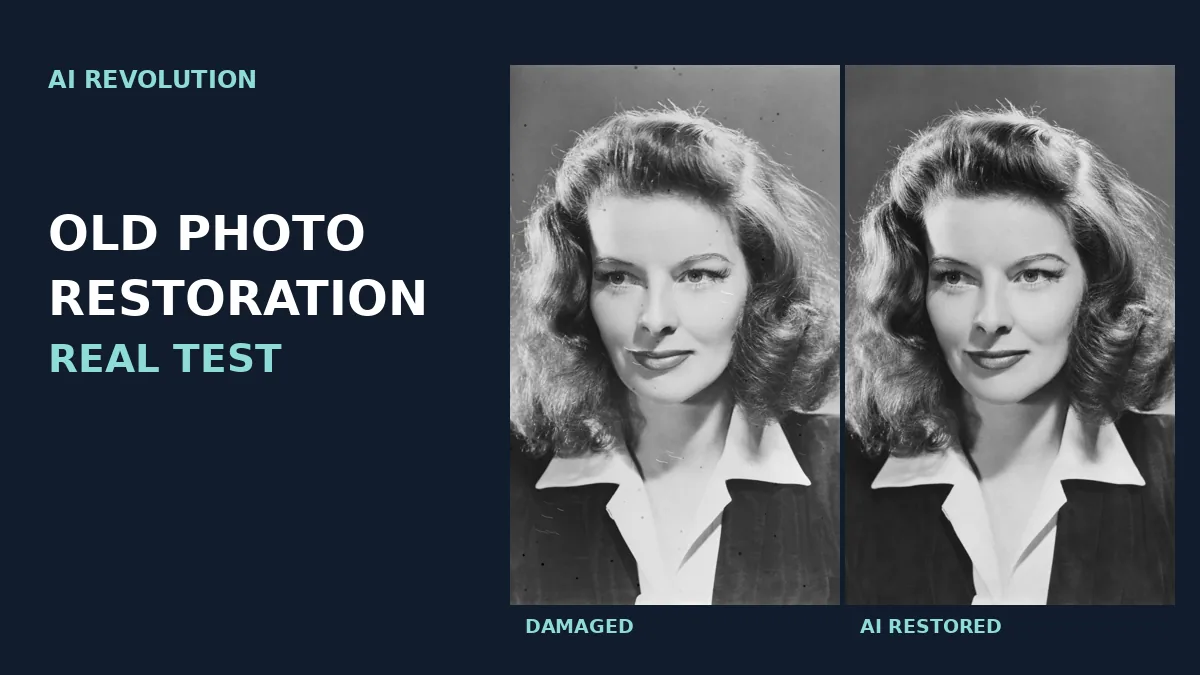
ChatGPT old photo restoration can remove scratches and stains remarkably well. But a clean-looking portrait is not necessarily a faithful restoration. If the photograph shows someone you love, a subtly different eyelash, mouth or hairline may matter more than a remaining scratch.
Our answer: In this controlled test, generative restoration produced attractive portraits but altered fine details. A verified traditional OpenCV workflow retained more of the reference image’s structure, at the cost of leaving some damage behind.
How we tested ChatGPT old photo restoration
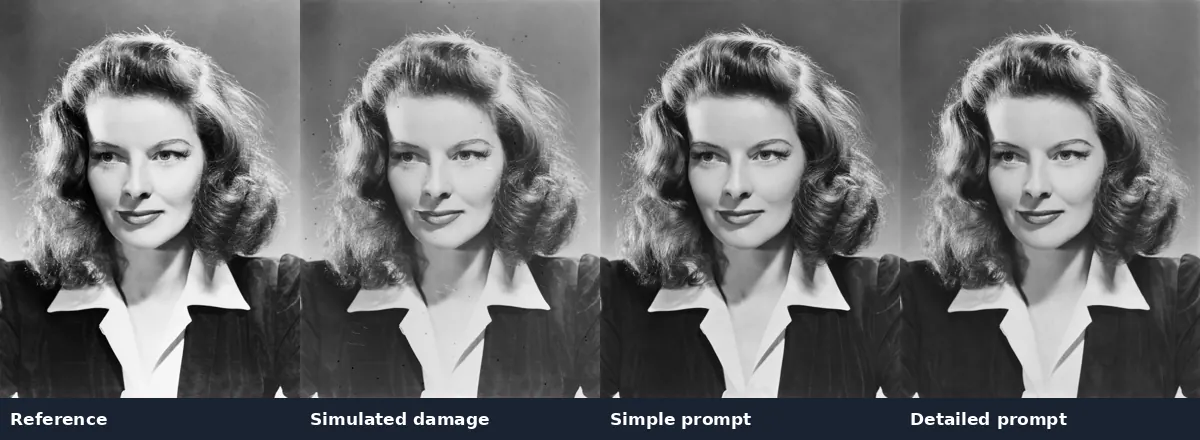
On November 18, 2026, we used a historical studio portrait sourced from Wikimedia Commons. Our reference was a previously restored archival version, not an untouched photographic negative. We kept a 1545 × 2047 pixel copy as the control and used Python to simulate scratches, spots, fading and edge wear without changing the geometry of the face. We rejected an initial damage simulation because its creases looked artificial.
For the prompt tests, we supplied the same damaged copy in separate ChatGPT conversations, using Plus and Instant mode, with one result per approach. The exact underlying image model and per-image cost were not recorded. The undamaged reference was withheld during restoration. This is a single-portrait experiment, not a benchmark across different faces or damage levels.
Test 1: A simple restoration prompt
Restore this old photograph.
The output removed the obvious simulated damage and retained the general expression, pose and clothing. At closer inspection, individual eyelashes, hair strands and lip texture differed from the reference. The face looked convincing, but the result was not a pixel-faithful repair.
Test 2: A detailed prompt to preserve facial features
Carefully restore this old black-and-white photograph. Remove scratches, creases, stains, fading, and damaged areas. Preserve the person’s exact facial identity, facial proportions, eyes, nose, lips, jawline, hairstyle, age, expression, and natural asymmetry. Preserve the original clothing, background, lighting, framing, and photographic texture. Do not beautify, modernize, colorize, or reinterpret the face. Reconstruct only damaged areas and keep intact details unchanged.
The detailed prompt gave slightly higher structural similarity in our comparison. Fine hair and facial details still changed. Both generative black-and-white outputs measured 1089 × 1444 pixels, approximately half the pixel count of the input. A more restrictive prompt helped in this instance, but one attempt per prompt cannot establish that it reliably performs better.
Test 3: Restoration with colorization
Carefully restore and colorize this old black-and-white photograph. Remove scratches, stains, and fading. Apply natural, historically plausible colors. Preserve the exact facial features, proportions, expression, age, hairstyle, clothing, and background. Do not beautify or reinterpret the face. Maintain authentic 1940s photographic realism.
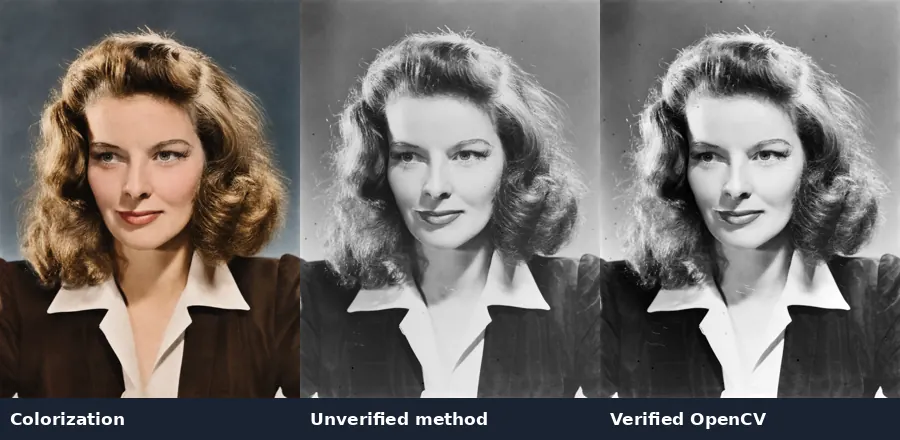
The result introduced warm skin tones, brown hair, muted green-gray eyes, a brown jacket and a blue-gray background. It looked plausible, but the black-and-white control cannot establish whether those colors are historically correct. Treat colorization as an interpretation, not evidence of the actual colors.
Test 4: Asking ChatGPT to avoid generative editing
Restore this photograph using traditional, non-generative photo editing techniques only. Use Python image processing if available. Correct fading, contrast, scratches, and stains without regenerating the image. Do not reconstruct, retouch, smooth, or modify any facial features. Preserve the original pixel dimensions, facial geometry, hair details, clothing, and photographic grain. Leave any damage that cannot be safely removed rather than inventing missing details.
The downloadable result retained the input dimensions and left visible scratches near the mouth and on clothing. ChatGPT reported using Python/OpenCV, but could not retrieve its executed code when asked. We therefore classify this method as unverified and do not rely on its reported mask statistics.
Test 5: Verified non-generative restoration with Python/OpenCV
We ran a separate, documented OpenCV 4.13.0 script using only the damaged input. A 13-pixel median filter provided a local background estimate. We selected compact dark defects with a residual above 14 and a Sobel gradient below 35; connected components were filtered by size, aspect ratio and fill. A 5 × 5 elliptical dilation expanded the mask, then Telea inpainting with radius 3 filled local defects. Finally, a global contrast lookup table mapped the first and 99th intensity percentiles (32 and 227) to approximately 10 and 245.
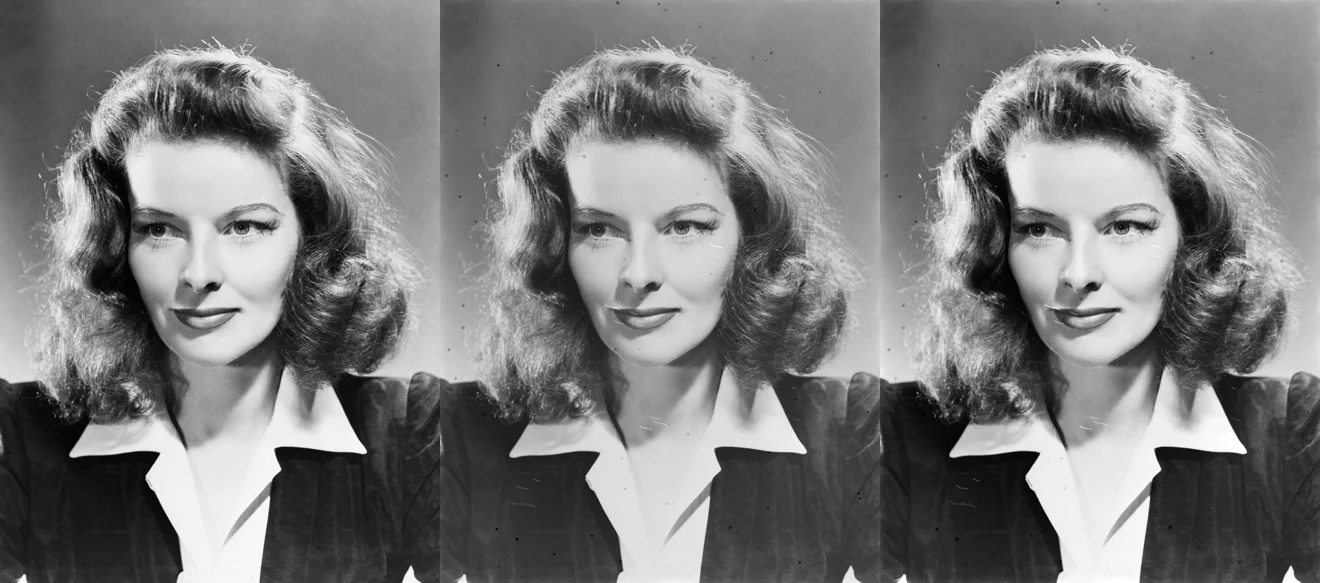
The mask covered 3.26% of the image. Global contrast adjustment meant 96.95% of pixel values changed, which is not equivalent to changing facial geometry. The final file remained 1545 × 2047 pixels. The method did not use an image generator, but inpainting still estimates missing pixel values and the automatic mask may capture genuine fine details. Some scratches remained.
What the measurements show
We compared grayscale images at a common resolution using Lanczos resizing and structural similarity (SSIM). No additional geometric registration was applied. SSIM measures image structure, contrast and luminance, not facial identity or the percentage of authentic detail. Resizing, contrast changes and color conversion can affect the scores.
| Method | SSIM | Output dimensions |
|---|---|---|
| Control | 1.000 | 1545 × 2047 |
| Damaged input | 0.928 | 1545 × 2047 |
| Simple prompt | 0.703 | 1089 × 1444 |
| Detailed prompt | 0.730 | 1089 × 1444 |
| Colorization | 0.708 | 1089 × 1444 |
| Unverified method | 0.938 | 1545 × 2047 |
| Verified OpenCV | 0.949 | 1545 × 2047 |
The damaged input already had a high score because most underlying structure survived our simulated aging. The higher score of the verified OpenCV result demonstrates improved structural similarity for this particular input, not perfect restoration. Generative results looked cleaner despite scoring lower.
How to restore your own old photographs safely
1. Preserve the scan. Keep an untouched high-resolution master. Work on a copy, and check the service’s privacy settings before uploading sensitive family images.
2. Decide what matters most. If you want an attractive display copy, start with the detailed prompt above. If you need archival fidelity, start with traditional editing and avoid generative reconstruction.
3. Separate repair and colorization. Save a black-and-white restoration before adding color. Do not ask for beautification, sharpening, upscaling and colorization all at once.
4. Inspect the output. Compare eyes, eyelids, nose, mouth corners, jaw, hairline, jewelry and clothing against the scan at the same display scale. Check pixel dimensions. A result that looks sharper may contain invented details.
5. Verify the method. If requesting Python processing, ask for the actual executed script, mask, parameters and output file in the same request. A downloadable file or an assurance alone does not prove that a particular algorithm ran. If a scratch crosses an eye or lip, use a small manually reviewed mask or leave it untouched.
OpenAI’s image editing guide describes uploading images and specifying edits. It does not establish a guarantee of exact facial preservation. For related editing problems, see our guides to why ChatGPT changes the whole image when editing and upscaling AI images without fake detail.
Final verdict: choose fidelity or appearance deliberately
ChatGPT can make an old portrait look dramatically cleaner, but a prompt alone does not guarantee preservation of every facial detail. For irreplaceable family photographs, retain the original and prefer conservative, verifiable editing when authenticity matters. Use generative restoration and colorization as clearly labeled derivatives.
Our findings apply to one previously restored studio portrait with simulated damage and a limited number of attempts. Real torn prints, group portraits and original color photographs require separate testing. We did not measure biometric identity, historical color accuracy or performance across different model versions.
Image source: Wikimedia Commons studio publicity photograph, credited to Metro-Goldwyn-Mayer Studios, restored by Adam Cuerden, dated circa 1941. Commons lists the work as public domain in the United States; copyright status elsewhere may differ. All damage simulations and test outputs shown here are experimental derivatives.
